
Μάθημα : PyGame
ΜΑΘΗΜΑ 4: Πληκτρολόγιο και σύγκρουση
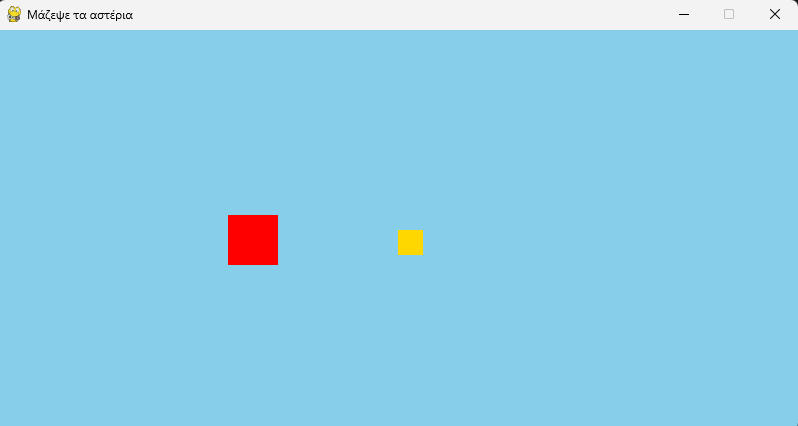
# Τι θα μάθουμε: Rect (ορθογώνιο), βελάκια, όρια οθόνης, colliderect, randint
import pygame
from sys import exit
from random import randint # τυχαίοι αριθμοί
pygame.init()
screen = pygame.display.set_mode((800, 400))
pygame.display.set_caption('Μάζεψε τα αστέρια')
clock = pygame.time.Clock()
# Rect = ορθογώνιο με θέση και μέγεθος: (x, y, πλάτος, ύψος)
# Το pygame ξέρει να μας λέει πού είναι οι άκρες του: rect.left, rect.right, rect.top, rect.bottom
player = pygame.Rect(100, 300, 50, 50)
star = pygame.Rect(400, 200, 25, 25)
points = 0
while True:
for event in pygame.event.get():
if event.type == pygame.QUIT:
pygame.quit()
exit()
# Ποια πλήκτρα είναι πατημένα ΤΩΡΑ;
keys = pygame.key.get_pressed()
if keys[pygame.K_LEFT]:
player.x = player.x - 5
if keys[pygame.K_RIGHT]:
player.x = player.x + 5
if keys[pygame.K_UP]:
player.y = player.y - 5
if keys[pygame.K_DOWN]:
player.y = player.y + 5
# Δεν αφήνουμε τον παίκτη να βγει από την οθόνη
if player.left < 0:
player.left = 0
if player.right > 800:
player.right = 800
if player.top < 0:
player.top = 0
if player.bottom > 400:
player.bottom = 400
# Άγγιξε ο παίκτης το αστέρι;
if player.colliderect(star):
points = points + 1
print('Πόντοι:', points) # εμφανίζεται στο τερματικό
star.x = randint(0, 775) # νέα τυχαία θέση
star.y = randint(0, 375)
screen.fill('skyblue')
pygame.draw.rect(screen, 'red', player)
pygame.draw.rect(screen, 'gold', star)
pygame.display.update()
clock.tick(60)
ΔΟΚΙΜΑΣΕ
1. Κάνε τον παίκτη πιο γρήγορο ή πιο αργό
2. Πρόσθεσε κίνηση και με τα πλήκτρα W, A, S, D (pygame.K_a, pygame.K_d ...).
3. Κάνε το αστέρι μεγαλύτερο και τον παίκτη μικρότερο.